















Start typing to see results...
Find the perfect solution
Component video converters bridge between component analog video signals and other video formats. Component video is an analog interface that uses three separate channels (Y for brightness plus Pb/Pr or Cb/Cr for color differences) to carry video, with less encoding than composite or S-Video. Component requires less encoding than composite and S-Video, and supports resolutions from 480i up to 1080p, making it the most superior of the analog interfaces. Component cables don't carry audio and are typically paired with separate audio cables.
The most common conversion direction is component to HDMI: connecting a legacy DVD player, satellite receiver, or older HDTV component source to a modern HDMI display. The conversion is active: a digital encoder chip takes the three analog component channels (plus a synchronized audio input) and creates an HDMI digital signal with embedded audio. Quality converters include built-in scaling, so the typically 480i, 480p, 720p, or 1080i component source can drive a modern 4K display at its preferred resolution.
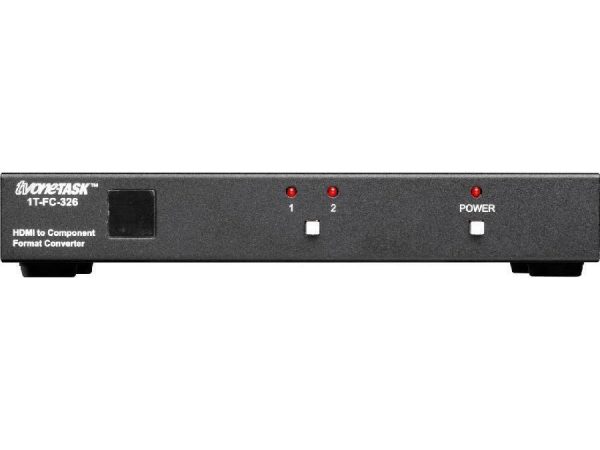
Going the other direction (HDMI to component) is less common but still useful for legacy installations where the display only accepts component input. The conversion is active: a digital-to-analog converter translates HDMI digital video into three analog component channels (with separate audio output, since component carries no audio). HDMI's HDCP protection limits this direction: protected content (Blu-ray, streaming services) typically refuses to output to analog formats including component.
Component converters also bridge to other formats: component to composite (downconverting for very old displays), component to S-Video (similar legacy conversion), component to DVI (for older digital displays), component to SDI (for broadcast infrastructure with legacy component equipment). Each direction handles specific legacy bridge requirements. Component to SDI is used in broadcast facilities where older HDTV equipment with component outputs needs to integrate with newer SDI infrastructure.
Component video carries no audio: the three RCA or BNC connectors are all video (Y, Pb, Pr). The audio for component video runs on a separate pair of RCA cables for stereo, or balanced cables for pro applications. Component video converters always handle the audio path separately: either passing through an external audio input, embedding external audio into the converted output (when going to HDMI or SDI), or breaking out audio on a separate output (when going from HDMI to component). Always plan parallel audio handling for any component installation.
Quality component converters include built-in scaling to match the receiving display's preferred resolution, and sometimes frame-rate conversion to bridge 60 Hz NTSC content to 50 Hz PAL displays (or vice versa) in international installations. Without scaling, the source resolution passes through unchanged, and the receiving display handles any conversion (typically with mediocre results). Quality scaling and frame-rate conversion preserve the picture better than letting the display do it.
Component video converters are still widely used in university campuses (legacy AV equipment with newer displays), hospitals (component medical imaging or commercial displays integrated with HDMI infrastructure), home theater (older DVD and satellite sources to modern displays), nightclubs and bars (legacy video equipment in rotation with newer gear), banks and corporate environments (older video conferencing or signage systems being modernized in stages), and any commercial AV installation where the component infrastructure remains in service alongside modernizing equipment.
Component video is an analog video format that uses three separate channels (Y for brightness, Pb/Pr for color differences) to carry HD video signals up to 1080p. It is the most superior analog video interface, much better than composite or S-Video, and many existing HDTVs accept it. You need a component converter whenever you have a component source that needs to drive a non-component display (typically modern HDMI), or a component display that needs to accept a non-component source. Common scenarios: legacy DVD player or satellite receiver feeding a modern HDMI TV, or modern HDMI source feeding an existing HDTV with only component inputs.
Yes. Component video natively supports HD resolutions: 720p, 1080i, and 1080p. A quality component converter preserves these resolutions during conversion. Going from 1080p component to 1080p HDMI is a direct conversion with no resolution change; only the format and audio handling change. Going from 1080p component to 4K HDMI involves upscaling; the converter's scaler quality matters for how good the upscaled picture looks. Match the converter's scaling capability to your installation: budget converters scale simply; quality converters use better algorithms.
The component video signal itself does not carry audio: the three RCA or BNC connectors are all video (Y, Pb, Pr). Component converters handle audio separately: when converting component to HDMI, the converter accepts a separate audio input (typically 3.5 mm or RCA stereo) and embeds it into the HDMI output; when converting HDMI to component, the converter breaks out the HDMI audio on a separate output for routing to the audio system. Always plan parallel audio handling for any component installation.
Not in the HDMI-to-component direction. HDCP is a digital copy-protection scheme; analog outputs like component cannot be HDCP-protected. When converting HDMI source content to component output, the HDMI source typically refuses to send HDCP-protected content (Blu-ray, streaming services) to prevent recording the analog output. This is a fundamental HDCP design choice. In the component-to-HDMI direction, this is not an issue because the source is already unprotected analog. For displaying HDCP-protected content on a component-only display, the proper solution is upgrading the display.
Component video supports HD resolutions and was the analog HD interface of choice during the transition from SD to HD, before HDMI fully took over. Many existing HDTVs (especially those from earlier-generation) still have component inputs and are still in service. Replacing all that equipment for the sake of upgrading interfaces is expensive and unnecessary if the component infrastructure works. Component converters extend the life of this installed base by bridging it to modern HDMI sources, which is more cost-effective than replacement.
University campuses (legacy AV equipment integrating with newer displays in classrooms and lecture halls), hospitals (component medical imaging displays or commercial component HDTVs bridging to newer HDMI infrastructure), home theater (older DVD players, satellite receivers, and gaming consoles with component output feeding modern HDMI displays), nightclubs and bars (legacy video equipment in rotation with newer gear), banks and corporate environments (older video conferencing or signage systems being modernized in stages), and any commercial AV installation where the component infrastructure remains in service alongside modernizing equipment.

On order over $300 and more for US and US territory

We Offer a 30-Day Money Back Guarantee

Full manufacturer's warranty and quality assurance

Safe checkout with trusted payment providers