















Start typing to see results...
Find the perfect solution
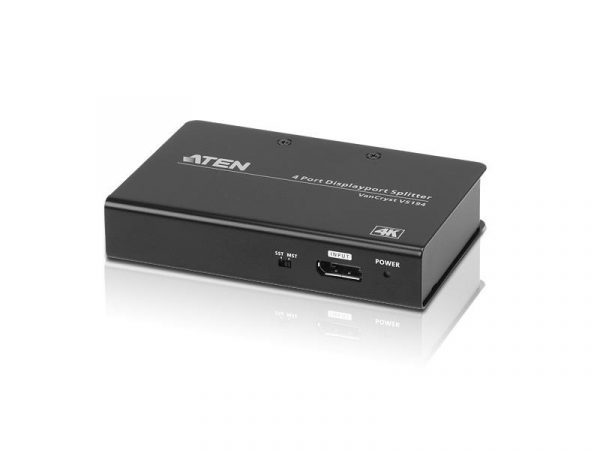
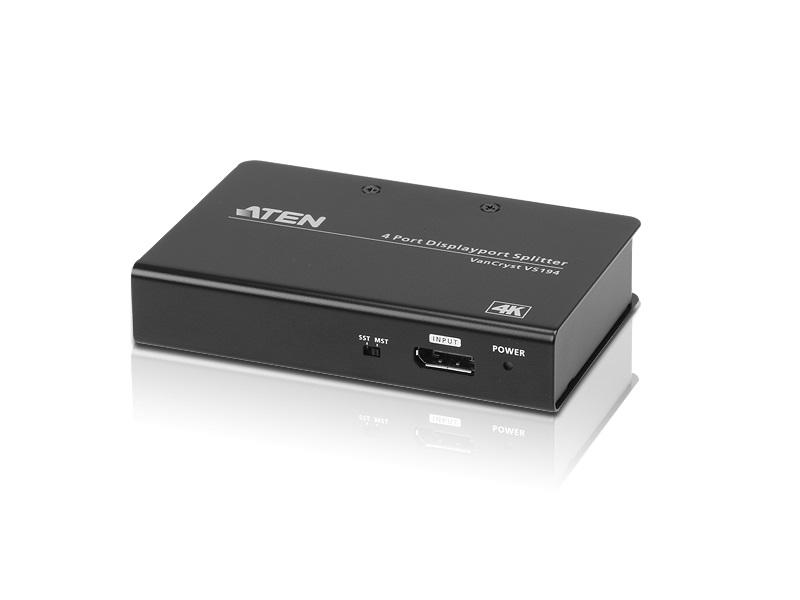
A DisplayPort distribution amplifier takes a single DisplayPort source and clones it to multiple identical outputs, allowing one computer, media player, or workstation to drive several monitors or displays simultaneously with the same image on each one. DisplayPort is the dominant high-bandwidth interface in PC, workstation, and pro-graphics environments, supporting resolutions up to 8K and high refresh rates.
DisplayPort 1.2 supports 4K at 60 Hz, DisplayPort 1.4 raises that to 8K at 60 Hz or 4K at 120 Hz with HDR, and DisplayPort 2.0/2.1 pushes even further. HDMI catches up only at version 2.1. In control rooms, trading floors, broadcast suites, and digital signage installations driven by PCs, DisplayPort is typically the native source interface, so distributing on DisplayPort avoids an unnecessary conversion to HDMI.
Most modern DisplayPort distribution amplifiers support HDCP 2.2 or 2.3 for protected content and include EDID management, so all connected displays present a consistent set of supported resolutions to the source. This becomes critical when mixing displays of different native resolutions on one splitter. Many units also support conversion to HDMI on the output side, simplifying installs where the source is DisplayPort but the displays use HDMI.
MST (Multi-Stream Transport) is a DisplayPort feature that lets one output drive a daisy chain of monitors, with each monitor showing a different part of the desktop. A distribution amplifier does something different: it clones the same image to every output. Use MST when you need multiple independent screens from one DisplayPort output; use a distribution amplifier when you need many displays showing the exact same content.
DisplayPort distribution amplifiers are common in trading floors (one market feed on many monitors), command and control rooms (operator's screen duplicated for supervisors), video walls (one source on a synchronized array), digital signage (one media player to several screens), post-production suites (reference signal to multiple monitors), and medical imaging (one scan shown in two adjacent rooms).
DisplayPort handles higher native bandwidth and is more common in PC, workstation, and pro-graphics environments. DisplayPort 1.2 supports 4K at 60 Hz, DisplayPort 1.4 supports 8K at 60 Hz or 4K at 120 Hz with HDR, and the latest versions push even further. HDMI catches up at version 2.1 in commercial AV. In control rooms, trading floors, signage, broadcast, and medical imaging, DisplayPort is usually the native source interface. If your sources output DisplayPort, distribute on DisplayPort to avoid an unnecessary conversion to HDMI and the resolution or HDCP issues that conversion can introduce.
Only for independent images on different screens, not for mirrored content. MST is a DisplayPort feature that lets one output drive a daisy chain of monitors, with each monitor showing a different portion of the desktop (effectively making one large extended desktop). If you instead want every monitor to show the exact same picture (mirror mode), MST will not do that reliably; you need a DisplayPort distribution amplifier, which clones the source signal to every output regardless of host computer configuration.
Most modern units do, but verify the supported version against the content you plan to distribute. HDCP 2.2 or 2.3 is required for 4K HDR protected content from streaming services, Blu-ray players, and many corporate sources. If you plan to distribute that kind of content over DisplayPort, every device in the chain (including the splitter) must support the matching HDCP version. Older units that predate HDCP 2.2 are fine for 1080p but will fail for 4K HDR, producing a black screen on the displays.
Yes, this is a DisplayPort-to-HDMI distribution amplifier with built-in conversion. Many splitters in this category accept a DisplayPort input and provide HDMI outputs, which simplifies installs where the source is a PC with DisplayPort but the displays are TVs or commercial screens with HDMI. Check that the conversion is active (not a passive adapter inside) and that resolutions and HDCP levels match on the output side, especially for 4K HDR content.
The graphics card can drive its own outputs natively; a splitter exists for a different job. If you want each monitor to show a different image, modern graphics cards handle that with their own multiple outputs. A distribution amplifier exists specifically to make many displays show the same image from a single source output, with no software setup, no driver configuration, and no host computer involvement on the display side. This matters when the source is shared by multiple operators, when the host PC has only one DisplayPort output, or when you want display mirroring that survives host reboots.
Trading floors, control rooms, video walls, signage installations, post-production, and medical imaging are the most common environments. Examples include a trading desk where the same market feed appears on multiple monitors, a control room duplicating an operator's screen for supervisors, a digital signage installation cloning one media player output to several screens, a synchronized video wall driven by a single PC, or a medical imaging workstation showing the same scan in two adjacent rooms for review by a team.

On order over $300 and more for US and US territory

We Offer a 30-Day Money Back Guarantee

Full manufacturer's warranty and quality assurance

Safe checkout with trusted payment providers