












Start typing to see results...
Find the perfect solution
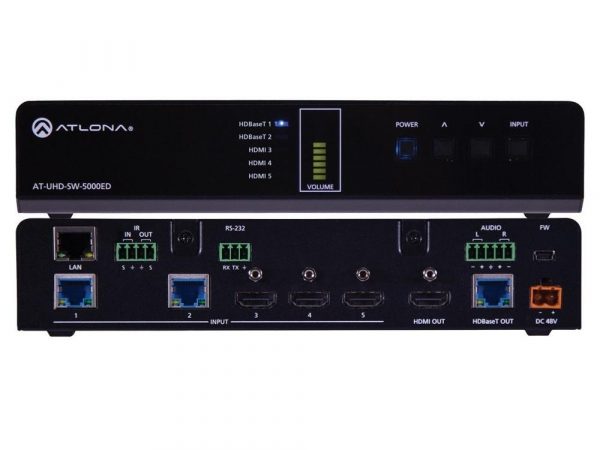
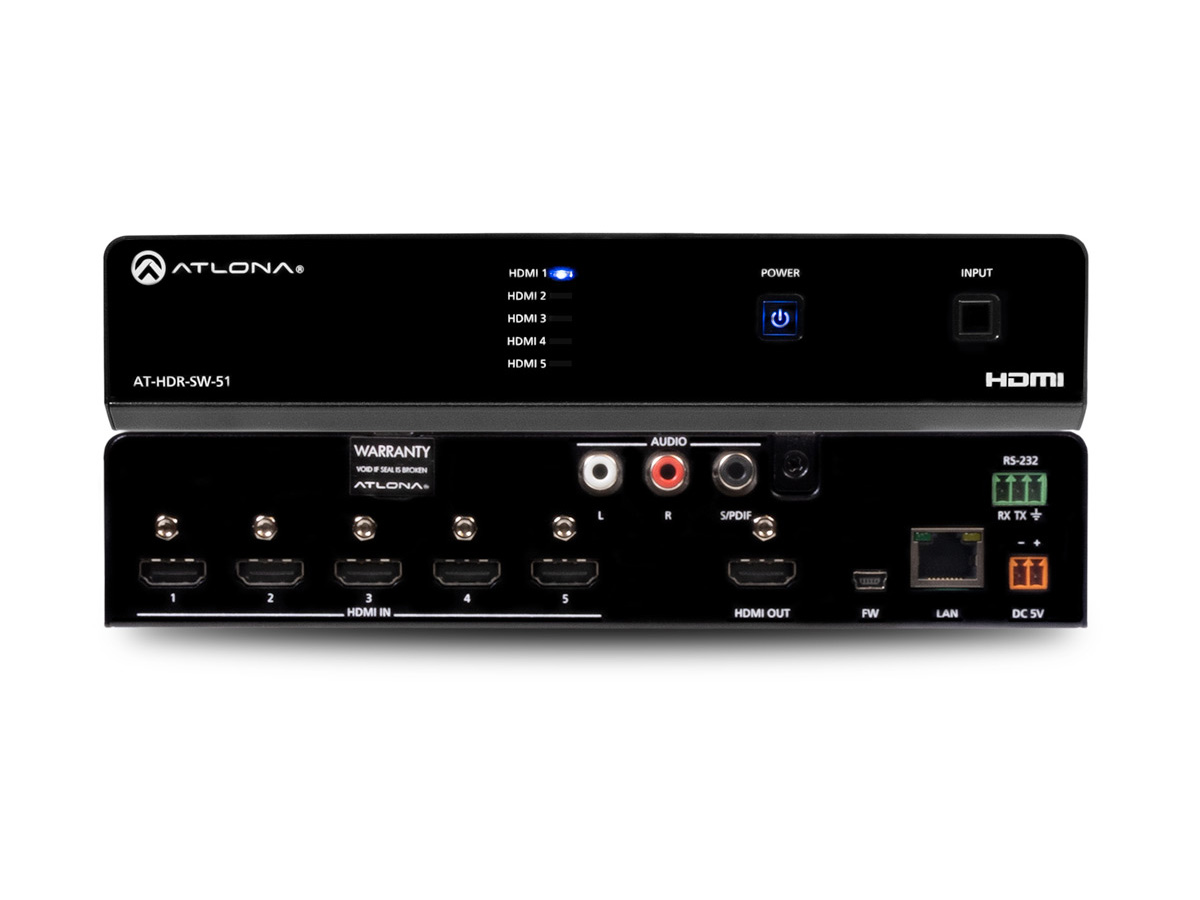
HDMI switchers select among multiple HDMI sources and route them to one or more HDMI outputs. They are essential whenever a display has fewer HDMI inputs than the user has sources, or when multiple sources need to share one display (or multiple displays in matrix configurations). Searching for the right HDMI switcher requires knowing the number of inputs and outputs needed, the HDMI version of the connected devices, the cable run distance, and whether the switcher supports HDCP pass-through.
HDMI has evolved through several versions. HDMI 1.3 supports increased bandwidth and deep color. HDMI 1.4 supports 3D, Ethernet data, improved audio/video capacity, and 4K resolution at 30 Hz. HDMI 2.0 supports anything HDMI 1.4 supports plus 4K at 60 fps, 2020 color space, 32 channel audio, and other features. HDMI 2.1 supports 8K, 4K at 120 Hz, dynamic HDR, and 48 Gbps bandwidth. The switcher's HDMI version must match or exceed the sources and display capability you need to use; a 4K source and a 4K display with an HDMI 1.3 switcher between them will not produce 4K output.
HDCP (High-Bandwidth Digital Content Protection) is a copy-protection protocol that prevents unauthorized interception of digital content between source and display. When connecting an HDCP-compliant source and display (like a Blu-ray player and a 4K HDMI TV), the entire chain including the switcher must support and pass HDCP at the appropriate version. If the switcher doesn't comply with HDCP, the protected content shows as a black screen on the display. HDCP 1.4 supports 1080p protected content; HDCP 2.2 or 2.3 is required for 4K HDR protected content from streaming services and Blu-ray.
The simplest application: a TV with one HDMI input, but the user owns a gaming console, cable box, and streaming device. A simple 3x1 HDMI switcher takes the three sources and outputs to the single HDMI input on the TV, with the user selecting which source is active via the switcher's front panel, remote control, or app. Common basic switcher configurations: 2x1, 3x1, 4x1, 6x1, 8x1. These switchers are inexpensive and serve residential applications and small commercial installations well.
HDMI matrix switchers route any input to any output independently. Fixed I/O matrices come in standard configurations (4x4, 8x8, 16x16, 32x32 are common). Modular matrices let the user customize input and output counts in one chassis, useful for installations that may grow over time. Matrix switchers serve commercial AV with multiple displays: a sports bar showing different channels on different TVs, a school distributing content to multiple classrooms, a control room with multiple operator workstations.
Seamless HDMI switchers are high-performance products that switch from one source to another instantly with no visible disturbance: no black screen, no resync delay, no resolution change artifact. Traditional non-seamless switchers blank the screen briefly during switching because the display has to resync to the new source. Some seamless switchers include picture-in-picture (PIP) features, displaying multiple sources simultaneously on the same screen. Seamless switching is essential for professional presentations, broadcast, and live event production.
Many modern HDMI switchers have built-in scalers, ensuring compatibility with sources and displays that have different output resolutions. The scaler converts each source to the display's preferred resolution before sending the signal. EDID management is another modern feature: the switcher presents a controlled EDID (display capability description) to each source, regardless of which display is connected at any moment. This eliminates the resolution surprises and HDCP handshake failures that can occur when switching between sources and displays with different EDID profiles.
Controlling modern HDMI switchers is simplified through multiple interfaces: front panel buttons (manual selection at the switcher), IR remote control (using a handheld remote), IP control (network commands from a control system or app), RS-232 (serial commands from control systems), and increasingly Web-based user interfaces accessible from any browser on the network. Quality switchers support multiple control interfaces simultaneously, integrating with whatever control architecture the installation uses.
HDMI switchers are essential in every commercial AV installation with multiple HDMI sources: residential home theater (multiple sources sharing a main display), conference rooms (room PC, presenter laptops, BYOD inputs sharing the room display), classrooms (instructor PC, document camera, BYOD sharing a projector), restaurants and bars (multiple cable boxes, streaming devices feeding multiple TVs through matrix switching), digital signage (multiple media players feeding multiple displays), broadcast and production (every HDMI source enters a switcher for production routing), houses of worship (cameras, computer sources, playback feeding the production), and security operation centers (multiple camera feeds with operator selection).
The switcher's HDMI version is specified in its data sheet, typically as "HDMI 1.4", "HDMI 2.0", "HDMI 2.0a", or "HDMI 2.1". HDMI 1.4 supports 4K at 30 Hz with 3D and Ethernet. HDMI 2.0 supports 4K at 60 Hz with HDR and 18 Gbps bandwidth. HDMI 2.1 supports 8K, 4K at 120 Hz, and 48 Gbps bandwidth. Always match the switcher's HDMI version to the highest capability needed in your installation; a switcher rated only for HDMI 1.4 will limit a 4K HDR source and display chain to lower resolution or no HDR.
HDCP is the copy-protection handshake required between source and display for protected content. Blu-ray players, streaming devices (Netflix, Disney+, etc.), and many corporate sources output HDCP-protected content; the entire chain (source, switcher, splitter, display) must support and pass the appropriate HDCP version. If the switcher doesn't support HDCP, the display shows a black screen when the source tries to play protected content. HDCP 1.4 supports 1080p protected content; HDCP 2.2 or 2.3 is required for 4K HDR protected content. Cheap HDMI switchers often skip HDCP entirely or support only older versions; always verify HDCP support for your content.
A seamless HDMI switcher changes from one source to another instantly with no visible disturbance: no black screen, no resync delay, no resolution change artifact. Traditional non-seamless switchers blank the screen briefly during switching because the display has to resync to the new source's resolution and refresh rate. Seamless switchers use internal scaling to convert all sources to a consistent output resolution, so switching between them doesn't cause any change at the display. They are essential in professional presentations (where audience attention is on the screen and any disturbance is distracting), in broadcast and live event production, and in any application where switching artifacts are unacceptable.
EDID (Extended Display Identification Data) is the information a display sends to a source describing the resolutions and features it supports. The source uses this information to choose an appropriate output mode. In switcher applications, EDID management means the switcher presents a controlled EDID to each source regardless of which display is currently selected. This eliminates problems where switching between displays with different EDIDs causes the source to change its output mode, taking time to resync and possibly failing HDCP handshakes. Quality HDMI switchers include EDID management; cheap switchers may not, causing intermittent black screens and resolution problems.
Use a basic switcher when multiple sources share one display: residential home theater, simple conference rooms with one display, small commercial installations. Use a matrix switcher when multiple displays need to show different content from multiple sources: sports bars (different TVs showing different channels), classrooms with multiple displays, security operation centers with multiple operator monitors, digital signage installations, and any installation with more than one display where the displays show different content. Matrix switchers cost more than basic switchers but provide the flexibility multi-display installations require.
Residential home theater (multiple sources, cable box, streaming device, gaming console, Blu-ray player, sharing one main display via basic 4x1 or 8x1 switching), conference rooms and boardrooms (room PC plus presenter laptop HDMI plus BYOD inputs sharing the room display), classrooms and lecture halls (instructor PC, document camera, BYOD inputs to projector or display), restaurants and bars (multiple cable boxes, streaming devices feeding multiple TVs through matrix switching), digital signage installations (multiple media players feeding multiple displays from a centralized matrix), broadcast and production studios (every HDMI source enters a switcher for production routing), houses of worship (cameras, computer sources, playback feeding the live production), and security operation centers (multiple camera feeds with operator selection).

On order over $300 and more for US and US territory

We Offer a 30-Day Money Back Guarantee

Full manufacturer's warranty and quality assurance

Safe checkout with trusted payment providers