




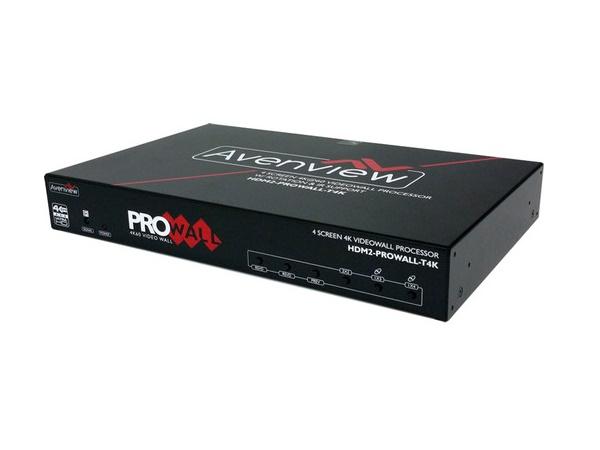
Mixed-brand AV systems are everywhere, and that is not a sign of poor planning. It is usually the result of real-world project requirements doing what they always do — pushing designs toward the best available option at each point in the signal chain. One manufacturer might offer the ideal switcher for the job, another might have the display a client already specified, and a third might already be installed in part of the building from a previous phase. Budget, availability, existing infrastructure, and feature preferences all steer projects toward multi-vendor designs.
In theory, this should work. Standards exist. Product categories are mature. Interoperability is one of the most discussed topics in Pro AV.
In practice, compatibility issues still derail projects every day. And the reason is almost never one obviously broken product. It is the small mismatches between devices — the way they negotiate signals, handle protected content, respond to control commands, and behave after firmware updates — that create the kind of problems teams do not see coming until commissioning day.
At AVProSupply, we work with integrators across dozens of manufacturers, and these are the compatibility issues we see get overlooked most often.
HDMI Handshake and EDID Mismatches

This remains one of the most common sources of frustration in mixed-brand systems, and one of the least appreciated until it causes problems in the field.
In a multi-vendor signal chain, different devices may negotiate video capabilities differently. A source might see one display capability through one path and a different capability through another. The result can be blank screens, incorrect resolutions, unstable switching behavior, or inconsistent startup performance — all symptoms that are easy to misdiagnose because they seem intermittent.
Extended Display Identification Data (EDID) management becomes especially important when a single source is feeding multiple displays, when switchers or extenders sit in the middle of the chain, or when newer sources are paired with older endpoints. Tools like BZBGEAR’s BG-AVTPG-4K can be invaluable here, allowing technicians to verify exactly what EDID data is being exchanged at each point in the signal path rather than guessing.
Many teams assume that if every device supports the listed resolution, the system should work. In reality, negotiation behavior matters just as much as nominal resolution support. That is a lesson the industry keeps relearning.
HDCP Compliance Differences
Protected content adds another layer of complexity that mixed-brand systems expose quickly.
A system can appear to work perfectly with internal presentations, local test patterns, or unprotected media — and then fail the moment commercial content is introduced. That is often due to High-bandwidth Digital Content Protection (HDCP) handling somewhere in the chain. One device may support HDCP 2.3, another only 2.2, and a third might handle the handoff well under some conditions but struggle in others.
Because HDCP issues can feel inconsistent, they are frequently misdiagnosed as cabling or source problems. In mixed-brand systems, HDCP behavior across every device in the chain should always be part of the compatibility review before installation begins.
Resolution and Refresh Rate Mismatches

Resolution support is rarely as straightforward as the product page suggests.
A display may support 4K, but only at certain refresh rates or chroma subsampling levels. A source may output formats that one endpoint handles without issue and another cannot process at all. A switcher may technically pass a signal but introduce problems when different sources are switched rapidly in a live production environment.
These issues become more visible in retrofit projects where not every endpoint is the same age or capability level. One upgraded source can expose limitations across the rest of the chain very quickly. This is particularly common in education and house of worship installations where equipment gets replaced in phases rather than all at once.
That is why confirming “4K support” across components is not enough. The exact operating conditions — resolution, refresh rate, color depth, HDR metadata — need to be validated across the full signal path.
Audio Format Conflicts

Audio compatibility is one of the most underestimated dimensions of mixed-brand system design.
Video may appear fine while audio behaves unpredictably. One device expects stereo PCM, another outputs multichannel Dolby. One part of the system assumes audio is embedded in the HDMI stream, while another requires extraction to a separate processor. A DSP may be configured for one workflow while the incoming signal follows a completely different format.
These issues are easy to miss during early planning because teams naturally focus on picture delivery first. But audio format mismatches can create delays that are just as disruptive as video failures, especially in conferencing spaces, classrooms, and live event systems where intelligible audio is the entire point.
In mixed-brand environments, audio transport and format handling deserve the same validation discipline as video. It is not an afterthought — it is half the signal.
Control Protocol Incompatibility
A system may pass signals correctly and still fail as an operational experience.
That happens at the control layer more often than most people expect. Devices from different manufacturers may support different control methods, command structures, APIs, or response behaviors. Some integrate cleanly into platforms like Crestron or Extron control systems. Others require more customization, offer limited third-party driver support, or respond to commands with slightly different timing than the system expects.
These differences become painful when end users expect one-touch simplicity. A room may look physically complete while automation remains unreliable because the device mix was never fully validated at the control level. Integrators know this problem well, but buyers sometimes underestimate how much it affects long-term usability.
Compatibility is not just about picture and sound. It is about whether the system behaves as one coordinated environment.
Cable and Extender Limitations
Many compatibility issues get blamed on products when the real problem is the path between them.
A device may perform flawlessly at short range on a test bench and become unstable at the installed cable distance. A cable that works in one scenario may not support the required bandwidth in another — especially when moving from 1080p test content to full 4K HDR with high frame rates. An HDBaseT extender may work reliably with one source-display pairing and struggle with a different brand combination because of subtle differences in how each device handles the protocol.
This is where lab testing and field performance part ways. The signal path is not passive in practical terms. It shapes what the system can actually do. Cable quality, run length, connector condition, and extension strategy should all be treated as core compatibility variables, not afterthoughts.
Firmware Timing and Software Updates
Modern AV systems are increasingly software-defined. That creates a less visible but very real source of multi-vendor friction.
One manufacturer issues a firmware update that improves performance on its own devices but changes how a third-party product in the chain behaves. Another delays a critical patch. A previously working control driver becomes inconsistent. A display update changes handshake timing. Suddenly a system that looked stable during commissioning behaves differently three months later, and no single device appears to be at fault.
In mixed-brand systems, long-term compatibility is not a fixed state. It is something that needs to be maintained over time.
That does not mean updates should be avoided — staying current is important for security and performance. It means updates should be reviewed and tested carefully before broad rollout, especially in mission-critical environments.
Power, Mounting, and Form Factor Mismatches
Not every compatibility issue is digital.
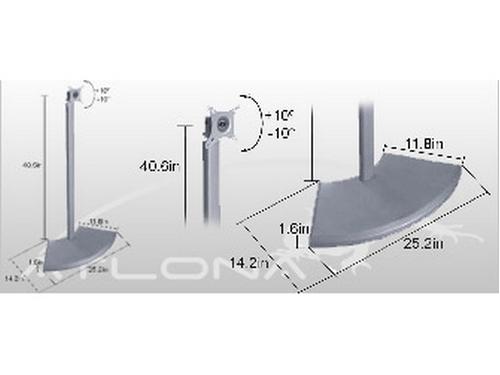
Sometimes the problem is physical. A power supply does not fit the intended rack position. A mounting bracket works for one product family but not another. A compact enclosure creates thermal concerns when equipment from different manufacturers is stacked together. A converter or adapter introduces clutter that complicates serviceability down the road.
These details rarely come up during the sales conversation, but they can have a significant effect on installation time and long-term reliability. A mixed-brand system may be compatible electrically and logically, yet still be awkward, fragile, or difficult to service because physical integration was never addressed during the design phase.
How to Reduce Compatibility Risk Before You Buy
The most effective way to avoid these problems is to treat compatibility as something that must be engineered into the system, not assumed from spec sheets.
Start with a signal flow map that documents every source, switch, extender, display, audio path, and control touchpoint. Then verify the supported resolutions, bandwidth requirements, HDCP versions, and audio format expectations across the entire chain — not just device by device, but connection by connection.
Control integration should be reviewed with the same seriousness as signal transport. If a device needs to be automated, monitored, or combined into a shared user interface, confirm that support exists and has been tested in advance.
Firmware planning matters too. Check whether the devices involved have known interoperability notes, update dependencies, or manufacturer-published integration guidance. Many vendors now provide compatibility matrices for exactly this reason.
And when the system is important enough to justify it, test key device combinations before full deployment. A small validation step on the bench can prevent a much larger surprise on-site.
Mixed-Brand Systems Work — When They Are Designed That Way
There is nothing inherently wrong with multi-vendor AV. In many cases, it is the smartest way to build a system that meets real-world requirements without compromise.
But the best mixed-brand environments do not succeed by accident. They succeed because someone looked beyond the feature list and considered how products would actually behave together in the field — from EDID negotiation to control response timing to the firmware update that has not happened yet.
That is where compatibility lives. Not in the spec sheet, but in the details.
And when those details are handled early, a mixed-brand system can deliver exactly what the project demands: flexibility, performance, and far fewer surprises after the installers leave.