











Start typing to see results...
Find the perfect solution
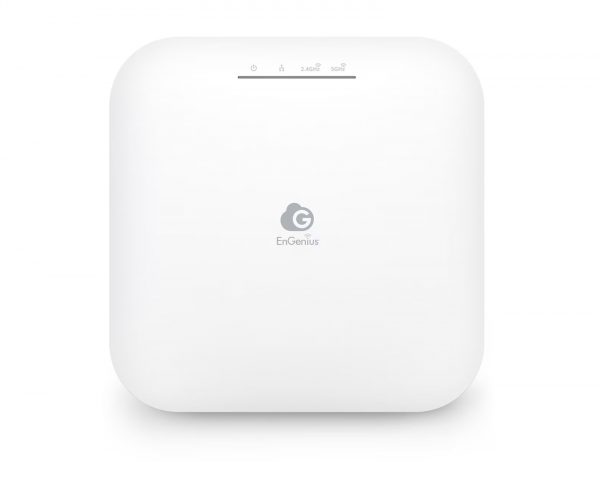
Wireless HDMI extenders carry HDMI signals between source and display without a physical cable in the room. They consist of a transmitter at the source side (connected to the source via standard HDMI cable) and a receiver at the display side (also connected via HDMI), with wireless transmission between them. Wireless extenders are popular in environments where cabling is impractical, where the AV setup needs to be flexible, or where the source location moves between presentations.
Wireless HDMI extenders use several different radio frequencies and protocols. WHDI (Wireless Home Digital Interface) operates in the 5 GHz band with low latency, used in many residential and commercial products. WirelessHD (WiHD) uses the 60 GHz band for very high bandwidth but with line-of-sight requirements. WiFi-based wireless HDMI uses standard 2.4 or 5 GHz WiFi, typically with proprietary encoding for video. Each technology has different latency, range, picture quality, and interference characteristics.
Typical wireless HDMI extenders cover 40 to 80 feet of range in clear line-of-sight conditions. Range drops when the signal must pass through walls, furniture, or other obstacles. Quality matters: cheap wireless extenders often have intermittent dropouts, especially when the WiFi network in the environment is busy. Professional wireless HDMI products use dedicated radio frequencies and encoding optimized for low-latency video, providing more reliable operation than budget consumer products.
Wireless transmission adds latency, the time between the source generating a frame and the display showing it. Quality wireless HDMI extenders keep latency under 50 ms, which is invisible for most content (presentations, video playback, casual viewing). Budget wireless extenders may add 100 ms or more, which can cause noticeable lip-sync issues with audio, or feel sluggish for gaming and interactive content. For latency-sensitive applications, choose wireless extenders specifically rated for low latency, or use wired extenders instead.
Wireless HDMI is popular in boardrooms (presenters can move freely without being tethered to a cable), conference rooms (laptops connect wirelessly to the room display, eliminating cable management), classrooms (instructor moves around the room while presenting), rental and staging (events without time for permanent cable installation), home theaters where cabling between rooms is impractical, and any environment where flexibility matters more than the absolute reliability of wired connections.
A specialty type of wireless HDMI is the wireless presentation system: software clients running on laptops or mobile devices connect to a wireless presentation receiver at the room display, sharing the laptop's screen or specific content. These systems (Crestron AirMedia, Mersive Solstice, Barco ClickShare, AppleTV, Microsoft Wireless Display) are popular in conference rooms because they support multiple simultaneous presenters and don't require a specific hardware transmitter for each laptop.
Wireless HDMI extenders are common in boardrooms and conference rooms (clean cable-free setups), education (instructor mobility in classrooms and lecture halls), rental and staging (temporary installations for events), home theaters with non-traditional layouts, hospitality (hotel meeting rooms with flexible setups), and any installation where the source must remain mobile or where running cable is impractical.
Choose wireless HDMI when the source needs to be mobile (a presenter walking around the room), when cabling is impractical (rental events, temporary installations, finished spaces where cable runs would be visible), or when the installation must support multiple sources from any position in the room. Choose wired extension when reliability is critical (broadcast, mission-critical applications), when low latency matters (gaming, interactive content, lip sync with audio), when the source position is fixed, or when the budget for premium wireless products doesn't fit the project.
Latency varies by product quality and technology. Quality wireless HDMI extenders keep latency under 50 ms, which is invisible for most content (presentations, video playback, casual viewing, lecture content). Budget wireless extenders may add 100 ms or more, causing noticeable lip-sync issues with audio when the audio takes a different path, or feeling sluggish for gaming. For latency-sensitive applications, choose wireless extenders specifically rated for low latency (some pro products advertise sub-30 ms latency), or use wired extenders instead.
Range and reliability drop significantly when the signal passes through walls, furniture, or other obstacles. Most wireless HDMI products are designed for line-of-sight operation within a single room. Through one drywall partition, range typically drops by half; through brick or concrete, transmission may fail entirely. For installations requiring transmission between rooms, wired extenders (HDBaseT, fiber, coaxial) are usually more reliable than wireless. Some specialty wireless products are designed for through-wall use with better signal handling, but this is the exception, not the standard.
A wireless presentation system is a specific kind of wireless HDMI receiver designed for conference rooms: software clients running on laptops, tablets, or phones connect to the receiver and share screen content, with no dedicated hardware transmitter needed at each source. Products include Crestron AirMedia, Mersive Solstice, Barco ClickShare, Apple TV (using AirPlay), and Microsoft Wireless Display. They support multiple simultaneous presenters, content sharing from specific apps rather than full screen, and integration with conferencing platforms. Wireless HDMI extenders, in contrast, typically require a hardware transmitter at the source to capture the HDMI output.
Quality professional wireless HDMI products do, but consumer-grade products may not, or may handle HDCP unreliably. Test the specific product with your protected content (Blu-ray, streaming services) before committing to the install. If protected content is part of the use case, look for wireless extenders that explicitly state HDCP 2.2 or 2.3 support. Cheap wireless products often skip HDCP entirely or implement only HDCP 1.4, which fails with 4K HDR protected content.
Boardrooms and conference rooms (clean cable-free setups where presenters move around, multiple laptops share the room display, and the AV setup must work for unfamiliar visitors), education (instructor mobility in classrooms and lecture halls, BYOD environments where many different student devices connect), rental and staging (temporary installations for events without time for cable installation), home theaters with non-traditional layouts (where running cable between the equipment rack and display is impractical), hospitality (hotel meeting rooms with flexible setups for different event types), and any installation where the source must remain mobile or where running permanent cable is impractical.

On order over $300 and more for US and US territory

We Offer a 30-Day Money Back Guarantee

Full manufacturer's warranty and quality assurance

Safe checkout with trusted payment providers