











Start typing to see results...
Find the perfect solution
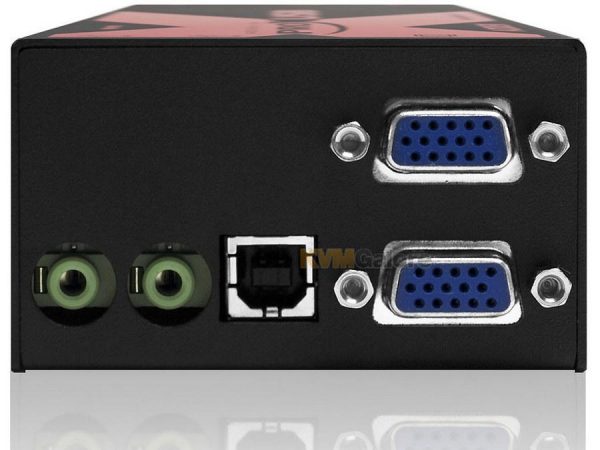
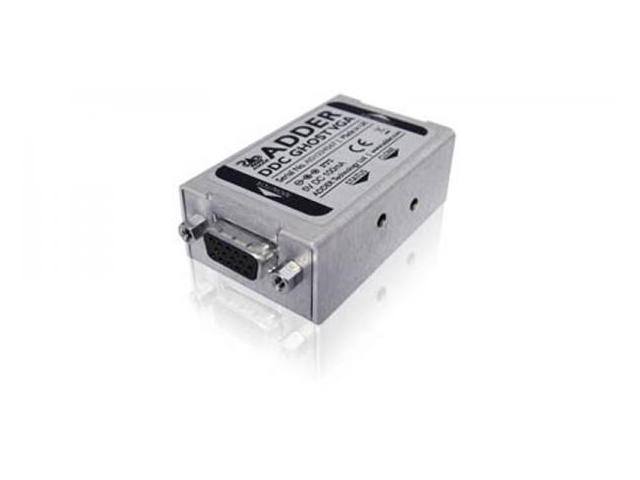
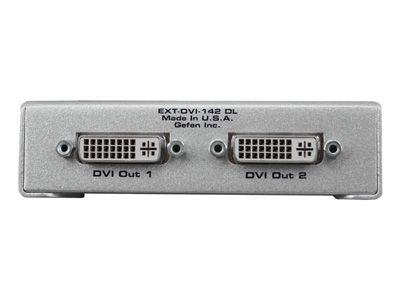
VGA extenders carry analog computer video signals over long distances, much further than standard VGA cables can reach. Standard VGA cable is reliable to about 15 meters (50 feet) at 1080p before ghosting, color shifts, and softness become visible. VGA extenders are needed for longer runs: schools and lecture halls with projectors far from instructor positions, training rooms with sources in equipment racks and projectors at the front of the room, corporate boardrooms with legacy VGA infrastructure, and any installation with VGA equipment requiring extension beyond direct cable distance.
VGA has been replaced by HDMI and DisplayPort in most new installations, but vast amounts of existing equipment is still in service: schools and universities with legacy projectors and classroom equipment, hospitals with administrative and some clinical displays, government and institutional buildings, corporate boardrooms with mixed-generation infrastructure, and training facilities. When these VGA installations need longer cable runs (more than 50 feet at 1080p, or longer at lower resolutions), VGA extenders solve the problem without requiring equipment replacement.
VGA extenders use several extension technologies. CAT5e or CAT6 cable extenders carry VGA over twisted pair, typically up to 1000 feet at standard resolutions and 300 feet at 1080p. Fiber optic extenders cover much longer distances (kilometers) with immunity to electrical interference. Wireless VGA extenders are uncommon because VGA's analog nature makes wireless transmission difficult; most wireless extension is HDMI-based and uses a VGA-to-HDMI adapter at the source. Coaxial VGA extenders exist for installations with available coax infrastructure.
VGA is an analog signal, and quality matters even more for VGA extension than for digital signals. The extender's analog-to-digital conversion at the transmitter, the transport quality, and the digital-to-analog conversion at the receiver all affect the final picture. Quality VGA extenders use careful circuit design, proper impedance matching, EMI shielding, and accurate timing. Budget extenders often produce visibly softer, noisier, or distorted output. For permanent installations where picture quality matters (boardrooms, training rooms, broadcast monitoring), buy quality extenders.
VGA carries no audio on its 15-pin connector. VGA extenders almost universally include separate audio channels alongside the video, typically using 3.5 mm or RCA inputs and outputs. The extender carries the audio over the same CAT cable, fiber, or transport medium as the video, so video and audio reach the destination together and stay synchronized.
VGA extenders come in small box form factors, wall plate versions for clean boardroom and classroom installations, and rack-mount chassis for larger commercial deployments. Some transmitters include multiple inputs (VGA plus HDMI, for example) and built-in switching, eliminating the need for a separate switcher at the source side. Some receivers include loop-outs for daisy chaining the signal to additional displays.
VGA includes a DDC channel that lets the source read the display's EDID. Quality VGA extenders maintain the DDC handshake through the extension, so the source sees the display's actual capabilities and outputs an appropriate resolution. Budget extenders may break DDC, forcing the source to use a default resolution that may not match the display's preferred mode. Always check DDC and EDID handling when choosing a VGA extender for installations with mixed display capabilities.
VGA extenders are common in schools and universities (instructor's PC to lecture hall projector at the front of the room, training room sources to remote projectors), corporate training rooms and boardrooms with legacy VGA infrastructure, hospitals (older administrative displays at extended distances from PCs), government and institutional buildings with installed VGA projectors and monitors, and any commercial AV installation where existing VGA equipment needs to bridge greater distances than direct VGA cable can support.
You need a VGA extender whenever the VGA cable run between source and display exceeds about 15 meters (50 feet) at 1080p. Beyond that distance, ghosting, color shifts, and softness become visible. Extenders carry the signal cleanly the full distance: CAT-based VGA extenders for up to 300 meters at 1080p, fiber for kilometers. The most common scenario is education: a classroom or lecture hall PC in a rack or at an instructor station, with the projector 20 to 30 meters away. Direct VGA cable that long would show visible degradation; an extender preserves the picture quality.
Distance depends on the transport medium and resolution. CAT cable extenders typically reach 300 meters at 1080p, 600 meters at 1024x768, and 1000 meters at SD resolutions. Fiber optic extenders cover kilometers. The achievable distance drops at higher resolutions because VGA's analog signal is more sensitive to cable degradation at higher bandwidths. For most commercial AV installations (boardrooms, classrooms, training rooms), CAT-based extension covers the needs; for very long runs or cross-building installations, fiber is the right choice.
Yes, almost all quality VGA extenders include separate audio channels alongside the video. VGA carries no audio on its 15-pin connector, but audio is essential in most presentations and educational content. The extender accepts 3.5 mm stereo or RCA audio inputs at the transmitter, carries the audio over the same CAT cable or fiber as the video, and provides matching outputs at the receiver. Video and audio reach the destination together and stay synchronized. Always verify audio handling when choosing an extender; some budget products skip audio.
Quality extenders preserve picture quality very well, often imperceptibly different from a direct connection. Budget extenders often produce visibly softer or noisier output, with ghosting on text and color fringing on graphics. The difference is most noticeable in installations where picture quality matters: boardrooms with detailed presentations, training rooms with technical diagrams, and broadcast monitoring. For permanent installations, always specify quality extenders from established manufacturers; the small additional cost is worth the picture quality improvement.
Yes, with a VGA-to-HDMI converter at the receiver end. Many VGA extenders are designed for installations with VGA at both ends (source and display); for mixed installations with a VGA source but HDMI display, add a VGA-to-HDMI converter at the receiver. Some specialty extenders combine VGA extension with HDMI conversion in one device: VGA input at the transmitter, HDMI output at the receiver. This is useful for upgrading legacy VGA equipment to drive new HDMI displays without replacing the source.
Schools and universities (the largest single use; instructor's PC to lecture hall projector at the front of the room, training room sources to remote projectors, computer lab PCs driving instructor displays at the front), corporate training rooms and boardrooms with legacy VGA infrastructure, hospitals (older administrative displays at extended distances from PCs), government and institutional buildings with installed VGA projectors and monitors, courtrooms with VGA-based evidence display systems, museums and exhibit halls with legacy AV equipment, and any commercial AV installation where existing VGA equipment needs to bridge greater distances than direct VGA cable can support.

On order over $300 and more for US and US territory

We Offer a 30-Day Money Back Guarantee

Full manufacturer's warranty and quality assurance

Safe checkout with trusted payment providers