









Start typing to see results...
Find the perfect solution
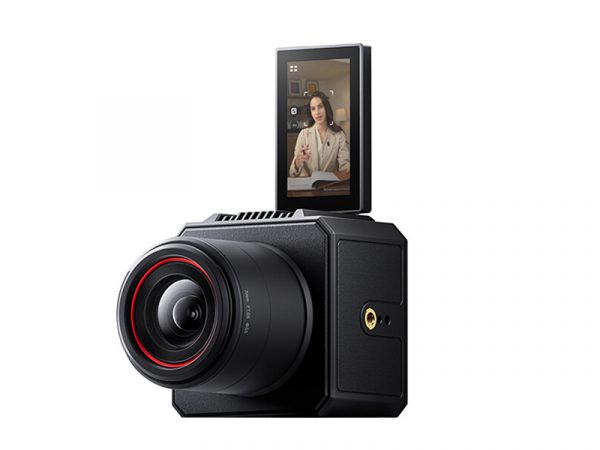
Streaming cameras combine a camera, encoder, and network output in one device, ready to send live video directly to streaming platforms (YouTube Live, Facebook Live, Twitch, Wowza, custom RTMP destinations) without requiring a separate computer or encoder. The camera captures video and audio, encodes it into a streaming-ready format (typically H.264 or H.265), and sends it out over a network connection (Ethernet or Wi-Fi) to the streaming platform.
Traditional streaming workflows require a camera, a capture device, a computer with streaming software (OBS, vMix, Wirecast), and the network connection. Streaming cameras compress this into one device, eliminating the computer entirely for simple workflows. This makes one-camera streaming much simpler: connect the camera to network and power, configure the streaming destination, and go live. It is ideal for houses of worship, classrooms, small businesses, and any installation where IT-friendly all-in-one streaming makes sense.
The most common streaming cameras combine PTZ functionality with built-in encoding: one operator (or no operator, with presets) can stream a complete service or class without touching a computer. PTZ streaming cameras dominate houses of worship and classroom recording because they handle the camera operation (preset views, follow the speaker, switch between angles) and streaming in one device. Some support multi-bitrate streaming (sending the same content to multiple platforms simultaneously) and dual or recording outputs.
Streaming-capable box cameras serve fixed-position use cases: a corner camera in a sanctuary that streams a continuous wide shot, a classroom camera that captures the room and streams the recording to a learning management system, a tower camera at a sports field that streams the game without operator intervention. Box streaming cameras are typically less expensive than PTZ streaming cameras and serve scenarios where fixed coverage is enough.
Most streaming cameras encode using H.264 (the most universally supported codec) or H.265/HEVC (more efficient, requires modern streaming platforms and viewer devices). Output protocols include RTMP (Real-Time Messaging Protocol, the dominant streaming protocol used by Twitch, YouTube, Facebook, and custom streaming services), SRT (Secure Reliable Transport, growing in adoption for professional streaming), and NDI (Network Device Interface, used for production within a facility). Many streaming cameras support multiple protocols and output formats simultaneously.
Streaming cameras are great for one-camera production. They are not the right choice for complex multi-camera production with switching, graphics overlays, picture-in-picture, instant replay, and similar features. In those workflows, multiple cameras output to a production switcher (hardware or software), the switcher's program output goes to a separate streaming encoder, and the encoder sends the polished production to streaming platforms. Streaming cameras complement, not replace, larger production setups.
Streaming cameras are used in houses of worship (one-camera streaming of services, multi-bitrate output to YouTube and Facebook simultaneously), education (classroom and lecture-hall recording for hybrid and distance learning, automated capture without an operator), corporate AV (boardroom and town-hall meeting streaming), live events at smaller scale (community theater, school events, athletic competitions), content creation (creators who need professional camera quality without a complex production setup), and any installation where simple, IT-friendly streaming is the goal.
A streaming camera combines a camera, encoder, and network output in one device, ready to send live video directly to streaming platforms (YouTube Live, Facebook Live, Twitch, custom RTMP destinations) over a network connection. Regular cameras output video on HDMI or SDI and need a separate capture device, computer, and streaming software to reach a streaming platform. Streaming cameras compress that entire chain into one device, making one-camera streaming much simpler: just connect the camera to network and power, configure the destination, and go live. The camera handles encoding, audio, and network delivery internally.
Many streaming cameras support multi-destination streaming: sending the same content to YouTube, Facebook, Twitch, and other platforms simultaneously, with each destination's bitrate and configuration set independently. This eliminates the need for a third-party multi-streaming service for simple use cases. Some streaming cameras can also record locally while streaming, providing an archive copy in case the network connection fails or the streaming platform has issues. Always check the specific camera's specifications: capabilities vary by model.
RTMP (Real-Time Messaging Protocol) is the dominant streaming protocol, supported by virtually every consumer streaming platform (YouTube, Facebook, Twitch, etc.). It is reliable for typical streaming scenarios over stable networks. SRT (Secure Reliable Transport) is a newer protocol designed to handle unreliable networks better, with error correction and adaptive bitrate. SRT is growing in adoption for professional streaming, contribution feeds between studios, and any scenario where the network path is challenging (cellular bonded connections, public internet across long distances). For most commercial AV streaming to consumer platforms, RTMP is the right choice; SRT is preferable for professional broadcast and challenging network scenarios.
Not necessarily, and the choice depends on what you want to optimize for. With OBS or similar software on a computer plus a regular camera and capture device, you get maximum flexibility (graphics, switching, multiple cameras, scenes, automation) at the cost of complexity (multiple devices, software updates, troubleshooting, possible failure points). A streaming camera trades some flexibility for simplicity: one device handles everything, fewer things to go wrong, simpler troubleshooting. For one-camera workflows where you don't need overlays and switching, a streaming camera is often a better choice. For complex productions, OBS plus regular cameras gives more capability.
The right bitrate depends on the resolution, content type, and the streaming platform's requirements. For 1080p at 30 fps, 3 to 6 Mbps is typical for general content (sermons, classroom lectures, corporate communications). For 1080p at 60 fps or sports content with fast motion, 6 to 8 Mbps is better. For 4K, 15 to 25 Mbps. Higher bitrates give better quality but require more network capacity. Many streaming cameras support adaptive bitrate (automatically adjusting to network conditions), which improves reliability on variable network connections.
Houses of worship (one-camera streaming of services, often with PTZ for multiple preset views handled by a single operator or automatically; multi-destination output to YouTube and Facebook simultaneously is common), education (classroom and lecture-hall recording for hybrid and distance learning, automated capture without an operator, integration with learning management systems), corporate AV (boardroom and town-hall meeting streaming with simple setup), live events at smaller scale (community theater, school events, athletic competitions where complex production would be overkill), content creation (creators who need professional camera quality without a complex production setup), and any installation where simple, IT-friendly streaming is the goal.

On order over $300 and more for US and US territory

We Offer a 30-Day Money Back Guarantee

Full manufacturer's warranty and quality assurance

Safe checkout with trusted payment providers