









Start typing to see results...
Find the perfect solution
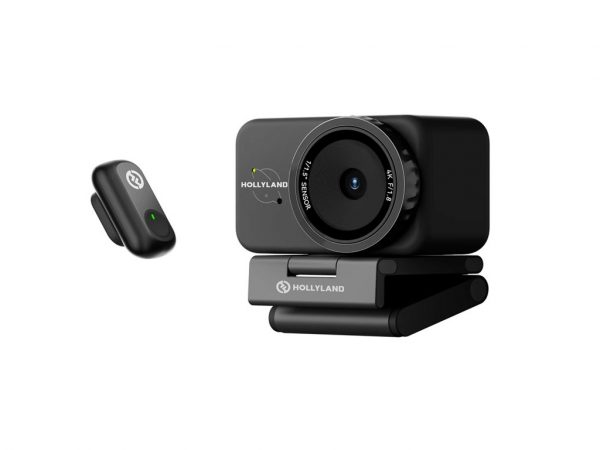
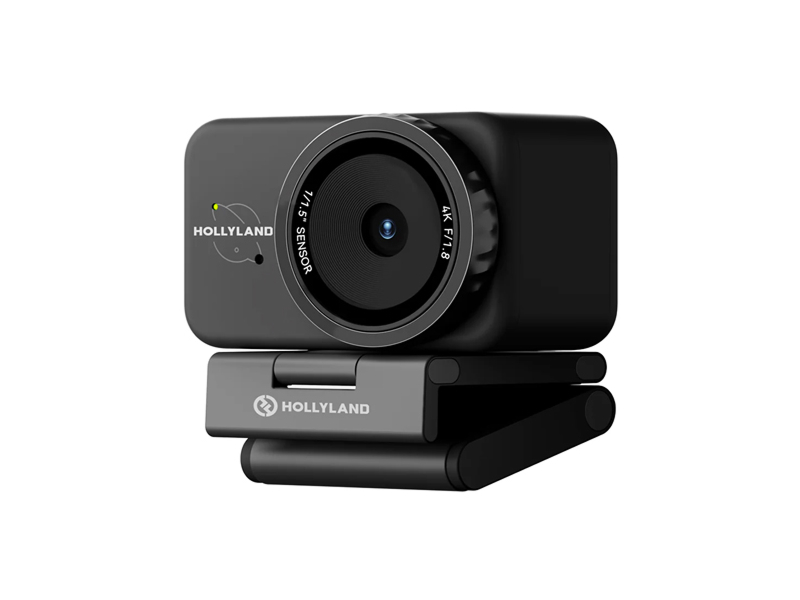
Conference cameras and webcameras are designed for video conferencing applications: capturing the participants in a meeting room or at a desk so they can be seen by remote attendees on platforms like Zoom, Microsoft Teams, Webex, Google Meet, and others. The cameras range from simple webcams clipped to a laptop or monitor to sophisticated room cameras with PTZ control, built-in microphones, intelligent framing, and integration with room control systems.
Webcams are small cameras that clip to a laptop or monitor, designed for individual remote workers and hot-desking. They typically have 720p, 1080p, or 4K resolution and a built-in microphone. PTZ conference cameras are mounted on a wall, ceiling, or stand and can pan, tilt, and zoom remotely to follow speakers or change views. Soundbar cameras combine a camera, microphone array, and speaker in one device that sits below or above a meeting room display, designed for small to medium rooms. Ceiling-mount cameras with intelligent tracking handle larger conference rooms and lecture halls.
Conference cameras typically connect via USB (most common, plug-and-play with laptops and room PCs), HDMI (for cameras that feed into a room codec or switcher), or network (PoE for power, IP for video and control). USB is the most common because it works with any conferencing platform on any laptop or room PC. Network-connected cameras enable centralized management and integration with room control systems.
Modern conference cameras include AI-driven features that improve the meeting experience: automatic group framing (the camera zooms and pans to keep all participants in frame as people move or join), presenter tracking (the camera follows the active speaker around the room), people counting and head detection (useful for analytics and adjusting room behavior), and noise cancellation in the integrated microphones. These features improve the remote attendee experience by ensuring everyone is visible and audible without manual camera operation.
Resolution choices include 720p (legacy), 1080p (standard for most current applications), and 4K (premium and large rooms). Field of view (FOV) is just as important as resolution: a wide-angle (90 degrees or more) camera captures more of the room, ideal for small to medium meeting rooms where the whole table needs to be visible. A narrower FOV (50 to 70 degrees) works for individual or two-person setups and for large rooms with strong PTZ capabilities. Always match the FOV to the room size and seating layout.
USB conference cameras work with any conferencing platform as a standard USB Video Class (UVC) device. Network-connected cameras may need platform-specific drivers or certified integrations: Microsoft Teams Rooms, Zoom Rooms, and similar room systems certify specific cameras and require Microsoft or Zoom-approved hardware for the best experience. Always check certification for the target platform.
Conference cameras serve corporate meeting rooms (boardrooms, huddle rooms, training rooms), home offices (webcams for remote workers and hybrid arrangements), education (hybrid classrooms with remote students, lecture capture), telehealth (clinicians consulting with remote patients), legal (remote depositions, virtual courtrooms), and any environment where people need to be seen by remote participants in video conferencing applications.
A webcam is a small camera that clips to a laptop or monitor for individual remote workers, with a fixed field of view and built-in microphone, typically 720p to 4K resolution. A PTZ (Pan-Tilt-Zoom) conference camera mounts on a wall, ceiling, or stand and can pan side-to-side, tilt up and down, and zoom in or out remotely. PTZ cameras serve meeting rooms where the camera needs to cover multiple positions (different speakers around the table, the whiteboard, the projector screen) without anyone physically moving the camera. PTZ adds flexibility, room coverage, and presenter tracking that simple webcams cannot match.
USB is the most common and simplest: plug-and-play with any laptop or room PC, works with any conferencing platform as a UVC (USB Video Class) device, no drivers needed. Network connection (typically PoE for power plus IP for video) is better for permanent room installations where the camera is far from the room PC, where the camera needs to be managed remotely, or where multiple cameras need to share infrastructure. Network cameras also integrate better with room control systems and AV-over-IP infrastructure. For most small to medium meeting rooms, USB is fine; for larger rooms or enterprise deployments, network often makes more sense.
Automatic group framing is a feature in modern conference cameras where the camera continuously adjusts its zoom and pan to keep all participants visible in frame, regardless of where they sit or whether people join or leave. Presenter tracking is a related feature where the camera follows the active speaker around the room, focusing attention on whoever is talking. Both features use AI and computer vision to analyze the room in real time. They are valuable in conference rooms where participants move around (such as design reviews or training sessions) and where remote attendees benefit from seeing the right person at the right time.
1080p is the standard for most current applications and works fine on any conferencing platform. 720p is acceptable for low-bandwidth scenarios but is outdated for modern use. 4K is premium and most useful in large rooms where the camera's digital zoom can crop in on individual speakers without losing resolution. Most conferencing platforms cap the transmitted resolution at 1080p anyway because of bandwidth limits, so 4K's main benefit is the digital zoom and framing flexibility before the signal is compressed for transmission.
Field of view is the angle of view the camera covers, measured in degrees. Wide-angle (90 degrees or more) captures a lot of the room and is ideal for small to medium meeting rooms where the whole table needs to be visible. Narrow FOV (50 to 70 degrees) works for individual or two-person setups and for large rooms with PTZ capabilities (where the camera zooms in on specific positions rather than showing the whole room at once). Always match the FOV to the room size and seating layout: a wide-angle camera in a small room can include too much ceiling and floor; a narrow camera in a large room will not show everyone.
Corporate meeting rooms of all sizes (boardrooms with high-end PTZ cameras and ceiling microphones; huddle rooms with USB soundbar cameras; training rooms with PTZ and presenter tracking), home offices and hot-desking (webcams clipped to laptops or monitors), education (hybrid classrooms with cameras capturing the room for remote students, lecture capture in auditoriums), telehealth (clinicians consulting with remote patients via PTZ or pan-and-zoom cameras), legal (remote depositions, virtual courtrooms with high-quality cameras for the record), and any installation where people need to be seen by remote participants in video conferencing or recording applications.

On order over $300 and more for US and US territory

We Offer a 30-Day Money Back Guarantee

Full manufacturer's warranty and quality assurance

Safe checkout with trusted payment providers