











Start typing to see results...
Find the perfect solution
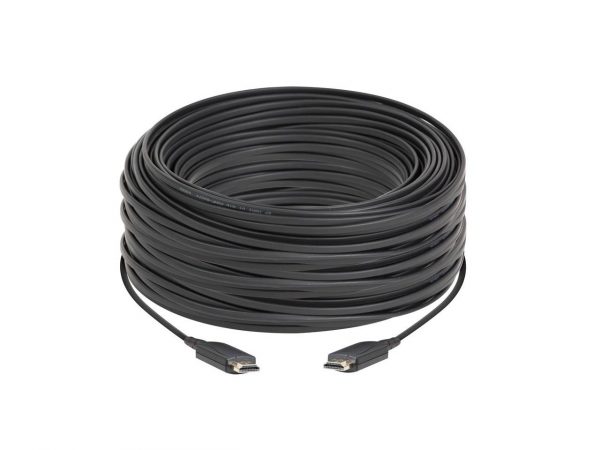
HDMI (High-Definition Multimedia Interface) is the most widely used connectivity standard in modern AV. From HDTVs, DVD and Blu-ray players, gaming consoles, streaming devices, cameras, and audio/video receivers to commercial digital signage and pro AV equipment, HDMI has taken over as the default digital interface because it carries video and audio together over a single cable.
HDMI has evolved through many versions. The most common cables on the market today are HDMI 1.4 and later. HDMI 1.4 supports 4K resolution (at 30 Hz) and adds the HDMI Ethernet Channel. HDMI 2.0 (sometimes called HDMI UHD) supports 4K at 60 Hz with full chroma and was released in 2013. HDMI 2.1 supports up to 8K and adds dynamic HDR, eARC, and 48 Gbps bandwidth. For modern 4K installations, look for cables labeled "Premium High Speed" (HDMI 2.0, 18 Gbps) or "Ultra High Speed" (HDMI 2.1, 48 Gbps).
HDMI has five defined connector types. Type A is the full-size 19-pin connector found on TVs, AV receivers, and most source devices. Type B is a wider dual-link version that is rarely used in practice. Type C (Mini HDMI) is smaller and found on some cameras and tablets. Type D (Micro HDMI) is even smaller and found on small cameras and some smartphones. Type E has a locking mechanism and is designed for in-vehicle infotainment systems where vibration is a concern.
HDMI version 1.4 defined several cable performance categories. Standard HDMI Cable supports 1080i and 720p. Standard HDMI Cable with Ethernet adds the optional Ethernet channel. Automotive HDMI Cable is designed for in-vehicle use. High-Speed HDMI Cable supports 1080p, 4K (at 30 Hz), 3D, and Deep Color. High-Speed HDMI Cable with Ethernet adds the Ethernet channel. Later certifications added Premium High Speed (18 Gbps for HDMI 2.0) and Ultra High Speed (48 Gbps for HDMI 2.1).
HDMI cable length affects signal quality, especially at 4K and HDR. Passive copper HDMI is reliable to about 25 to 50 feet (8 to 15 meters) at 4K. Beyond that, signal degradation appears as sparkles, flickering, or no picture at all. For longer runs, options are: active HDMI cables with built-in signal regeneration (good to about 100 feet), HDMI Active Optical Cables (AOC) using fiber for the middle of the cable (good to 100+ meters), or HDMI extender pairs over CAT5e/6 (HDBaseT), AV-over-IP, or fiber.
HDMI cables connect every kind of source to every kind of display in modern AV. Home theaters use HDMI from sources to AV receivers and on to displays. Commercial conference rooms use HDMI from laptops, room PCs, and wireless presentation receivers to displays. Sports bars and digital signage use HDMI from media players to displays. Broadcast and live production use HDMI for camera, capture, and monitor connections.
HDMI 1.4 supports 4K but only at 30 Hz, which works for movies but feels choppy for fast content or gaming. HDMI 2.0 supports 4K at 60 Hz with full 4:4:4 chroma and is the modern minimum for any new 4K installation. HDMI 2.1 supports 4K at 120 Hz and 8K at 60 Hz, with 48 Gbps bandwidth, dynamic HDR, and eARC. For most new 4K installs today, an HDMI 2.0 cable (labeled "Premium High Speed", 18 Gbps) is sufficient. For 8K, gaming at 4K/120, or future-proofing, choose HDMI 2.1 (Ultra High Speed, 48 Gbps). The chain is only as fast as its slowest link, so source, cable, and display all need to support the same version.
About 25 to 50 feet (8 to 15 meters), depending on the resolution. At 1080p, passive copper HDMI is reliable to 50 feet or more on quality cable. At 4K at 60 Hz with HDR, signal degradation often appears beyond 25 feet, showing as sparkles, flickering, or complete signal loss. For longer runs, use active HDMI cables (with built-in chips that regenerate the signal, good to about 100 feet), HDMI Active Optical Cables (AOC, using fiber for the long middle of the cable, good to 100+ meters), or an HDMI extender pair over CAT cable (HDBaseT) or fiber.
HDMI has five defined connector types. Type A is the standard 19-pin connector found on TVs, AV receivers, and most source devices. Type B is a wider dual-link version that is rarely used in practice. Type C (Mini HDMI) is smaller and found on some cameras and tablets. Type D (Micro HDMI) is the smallest and is found on small cameras and some smartphones. Type E has a locking mechanism and is designed for in-vehicle infotainment systems where vibration is a concern. Adapter cables let you bridge between connector types: a common need is Mini HDMI to full-size HDMI for connecting a camera to a TV.
Only if your devices support the HDMI Ethernet Channel (HEC), which most do not. HDMI Ethernet Channel was introduced with HDMI 1.4 and lets a single cable carry both AV and a 100 Mbps network connection between devices that support the feature. In practice, very few consumer or commercial devices implemented HEC, so most installations use a separate network cable or Wi-Fi for connectivity. An "HDMI with Ethernet" cable is electrically identical to a standard HDMI cable in every other way, so it works interchangeably; you just may never use the Ethernet capability.
HDCP (High-Bandwidth Digital Content Protection) is a copy-protection handshake between source and display that runs over HDMI. It affects compatibility with protected content from Blu-ray, streaming services, and many corporate sources. If any device in the chain (switcher, splitter, extender, AV receiver, display) does not support the right HDCP version, the picture goes black or drops to a lower resolution. The cable itself does not "have" HDCP; the handshake is between devices. But you should make sure every active device in the signal path supports HDCP 2.2 or 2.3 for 4K HDR content.
HDMI is the workhorse interconnect for modern commercial AV. Conference rooms use HDMI from laptops, room PCs, and wireless presentation receivers to displays. Classrooms use HDMI from instructor sources to projectors or interactive displays. Digital signage uses HDMI from media players to displays. Sports bars and restaurants use HDMI from cable boxes and streaming devices to TVs throughout the venue. Houses of worship use HDMI for camera connections, computer presentation, and display feeds. Broadcast and live production use HDMI for camera, capture, and monitor connections (alongside SDI for the main signal chain).

On order over $300 and more for US and US territory

We Offer a 30-Day Money Back Guarantee

Full manufacturer's warranty and quality assurance

Safe checkout with trusted payment providers