












Start typing to see results...
Find the perfect solution
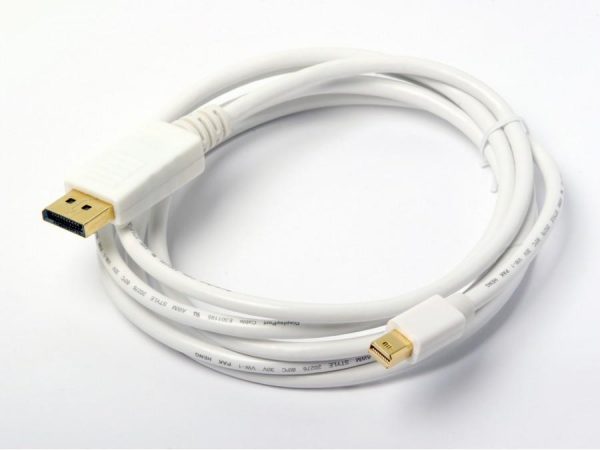
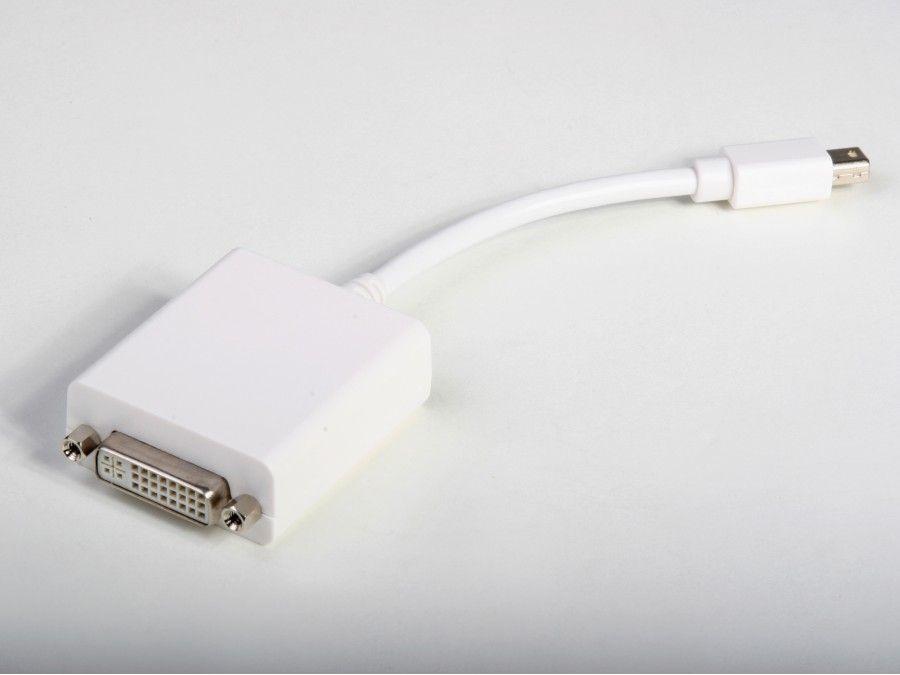
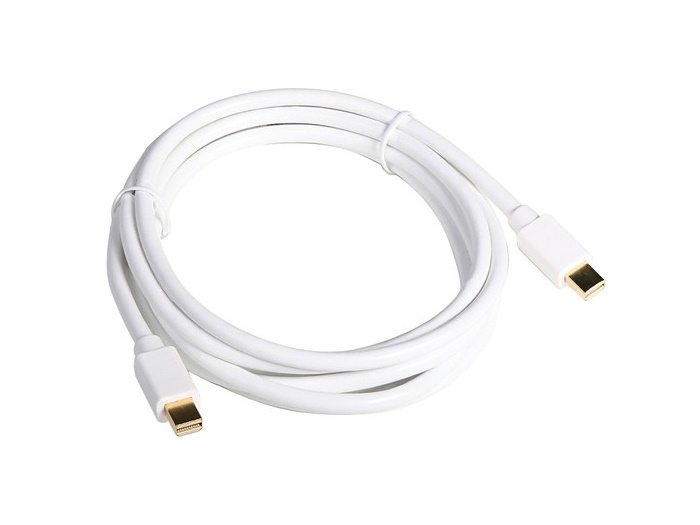
DisplayPort and Mini DisplayPort cables carry digital video, audio, and optionally USB signals between devices. The DisplayPort interface was developed to work with a wide range of devices including TVs, computer monitors, PCs, laptops, camcorders, DVD players, and many other consumer and professional electronics. In modern installations, DisplayPort dominates PC, workstation, and pro graphics environments because it supports higher bandwidth than HDMI of equivalent vintage.
DisplayPort has evolved through several versions, each step up increasing bandwidth. DisplayPort 1.2 supports 4K at 60 Hz. DisplayPort 1.4 supports 8K at 60 Hz or 4K at 120 Hz with HDR. DisplayPort 2.0 and 2.1 push beyond that to 16K and higher refresh rates. Cables and equipment must match the version needed for the resolution and refresh rate in use. For modern installations, look for cables labeled DisplayPort 1.4 (32 Gbps) or higher.
The two interfaces serve overlapping needs but originated in different parts of the AV market. HDMI was designed for consumer electronics (TVs, AV receivers, Blu-ray players), DisplayPort for PCs and workstations. DisplayPort traditionally supported higher refresh rates and higher resolutions earlier than HDMI of the same generation. HDMI 2.1 catches up to DisplayPort 1.4 in most respects. In commercial AV and signage where sources are often PCs and workstations, DisplayPort is often the native source interface, so distributing on DisplayPort avoids an unnecessary conversion to HDMI.
Mini DisplayPort is a smaller form of DisplayPort, originally found on Apple laptops and increasingly on PC laptops, tablets, and small form-factor desktops. USB-C with DisplayPort Alternate Mode carries DisplayPort signals over a USB-C connector, which is the dominant approach in modern laptops, tablets, and phones. Adapters and cables for Mini DisplayPort to DisplayPort, USB-C to DisplayPort, and DisplayPort to HDMI/DVI/VGA are common bridges between these formats.
DisplayPort 1.2 introduced Multi-Stream Transport (MST), which lets a single DisplayPort output drive a daisy chain of monitors, each showing a different portion of the desktop. This is unique to DisplayPort: HDMI does not have an equivalent. MST is useful in workstation environments where one PC drives several monitors from one port via a daisy chain of MST-capable monitors.
DisplayPort and Mini DisplayPort cables are widely used in residences, offices, data centers, hospitals, control rooms, trading floors, post-production suites, video walls, and digital signage. Anywhere a PC, workstation, or modern laptop drives one or more high-resolution displays, DisplayPort is often involved. DisplayPort to HDMI/DVI/VGA adapters and cables allow these PC sources to connect to displays of any vintage.
Both carry digital video and audio over a single cable, but they originated in different markets. HDMI was designed for consumer electronics (TVs, Blu-ray players, AV receivers, gaming consoles), and is dominant in those spaces. DisplayPort was designed for PCs and workstations and is dominant in those environments. DisplayPort traditionally supported higher refresh rates and higher resolutions earlier than HDMI of the same generation: DisplayPort 1.2 supported 4K at 60 Hz before HDMI 2.0; DisplayPort 1.4 supported 8K at 60 Hz before HDMI 2.1. In commercial AV with PC sources, DisplayPort is often the native interface, so using DisplayPort throughout avoids a conversion.
DisplayPort 1.4 provides about 32 Gbps of usable bandwidth and supports 8K at 60 Hz or 4K at 120 Hz with HDR (using Display Stream Compression). It also supports HDR10, multi-channel audio, and Multi-Stream Transport (MST) for daisy-chaining monitors. For modern installations that need 4K at 60 Hz with HDR, DisplayPort 1.4 cables are the right choice; for 8K or 4K at higher refresh rates, look for DisplayPort 2.0 or 2.1 (which add up to 80 Gbps of bandwidth).
Mini DisplayPort is a smaller form of DisplayPort, originally introduced by Apple on its laptops and later adopted by some PC manufacturers, tablets, and small form-factor desktops. The signal is identical to full-size DisplayPort; only the connector size is different. USB-C is a newer general-purpose connector that can carry DisplayPort signals via DisplayPort Alternate Mode. Most modern laptops and tablets output DisplayPort signal through their USB-C ports. Adapter cables (Mini DisplayPort to HDMI, USB-C to HDMI, etc.) are common in commercial AV where the laptop's port does not match the display's input.
Yes. DisplayPort supports HDCP just like HDMI, with the same version requirements: HDCP 1.4 for 1080p, HDCP 2.2 or 2.3 for 4K HDR. The cable itself does not implement HDCP; the handshake happens between the source and display. Every device in the chain must support the appropriate HDCP version for the content being shown. If you are distributing streaming-service or Blu-ray content over DisplayPort, ensure the source, any splitters or extenders, and the display all support HDCP 2.2 minimum, ideally 2.3.
MST is a DisplayPort feature, introduced in DisplayPort 1.2, that lets a single DisplayPort output drive a daisy chain of monitors. Each monitor in the chain shows a different portion of the desktop, effectively creating one large extended desktop from one DisplayPort cable from the PC. MST is unique to DisplayPort; HDMI does not have an equivalent. Use MST when you need multiple monitors showing different content from one PC output (typical in trading floors, control rooms, and software development workstations). For mirroring (the same image on every monitor), use a DisplayPort distribution amplifier instead.
PCs and workstations (the default interface on most modern desktop graphics cards and many laptops), commercial AV with PC-driven sources (control rooms, trading floors, digital signage media players), broadcast suites and post-production (where higher resolutions and refresh rates matter), data centers and IT infrastructure (KVM, server monitors, conference rooms), medical imaging (high-resolution radiology and diagnostic displays), video walls and command-and-control installations, and any environment where one PC source needs to drive a high-resolution or high-refresh-rate display.

On order over $300 and more for US and US territory

We Offer a 30-Day Money Back Guarantee

Full manufacturer's warranty and quality assurance

Safe checkout with trusted payment providers