









Start typing to see results...
Find the perfect solution
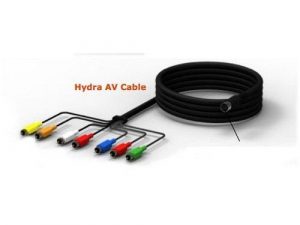
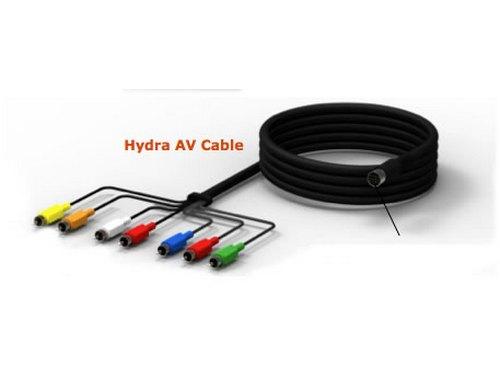
Component video cables are analog-based video cables typically used in home and some commercial AV installations. They carry high-quality analog video on three separate RCA or BNC connectors, color-coded red (Pr/Cr), green (Y), and blue (Pb/Cb). The three channels separate the brightness signal from two color-difference signals, which gives much sharper picture quality than composite video and supports HD resolutions up to 1080p natively.
Component and composite cables can easily be confused because of the similar color schemes on the connectors. Both use RCA plugs and similar-looking cable construction. The differences are critical: component AV cables have three video connectors (red, blue, green) plus a left and right audio connector, for a total of five RCA plugs. Composite cables have only three connectors total, with two of those for left and right audio and only one (yellow) for video. Component delivers far better video quality because it separates the signal into three channels, where composite mixes everything onto one wire.
Component video natively supports HD resolutions: 720p, 1080i, and 1080p (depending on the source device and cable quality). Many HDTVs include component inputs (usually five RCA jacks: three video plus two audio) and accept signals up to 1080p over component. This made component the favorite analog HD interface during the transition from SD to HD before HDMI took over, and many existing installations still rely on it.
Quality component cable uses 75-ohm coaxial construction for each of the three video channels (Y, Pb/Cb, Pr/Cr), with proper shielding to reject electrical interference. The audio pair uses separate (often shielded) cable for left and right. Premium cables bundle all five into one jacket for clean cable management, with the connectors color-coded at each end.
Component video is reliable to about 50 feet (15 meters) on quality cable for HD resolutions; longer with premium cable. For longer runs, use a component video extender pair over CAT5/6 cable. The audio channels follow the same path on separate cable or in the same bundle. Active component distribution amplifiers can also extend each output leg by 100+ feet, which is useful in multi-display installations.
Component video cables are used in home theater (DVD/Blu-ray players and cable boxes to HDTVs through component inputs), hospitality (hotel rooms with component-input TVs and component-output set-top boxes), broadcast monitoring (component remains in service in some legacy facilities), houses of worship with HD video on legacy equipment, and any home or commercial AV installation with HD-capable component infrastructure that has not been replaced with HDMI.
Component cables have three RCA connectors for video (red, blue, green, separating the signal into a brightness channel Y and two color-difference channels Pb/Pr) plus two RCA connectors for left and right audio, totaling five connectors. Composite cables have only three connectors total: one yellow connector for the video (combining brightness, color, and sync onto one wire), plus the same two audio connectors for L and R. Component delivers much sharper video quality than composite because separating the channels avoids the color-bleeding and "dot crawl" artifacts that limit composite to standard definition. Component supports HD up to 1080p; composite is limited to roughly SD resolution.
Yes. Component is one of the few analog video formats that natively supports HD: 720p, 1080i, and 1080p depending on the source device and cable quality. Many HDTVs include component inputs (five RCA jacks: three for video, two for audio) and accept signals at full HD. This made component the analog HD interface of choice during the transition from SD to HD, before HDMI fully took over. Even today, many existing installations still rely on component for HD video distribution to legacy displays that have not been replaced.
The color coding helps installers connect cables correctly. The colors do not directly correspond to red, green, and blue color channels of the picture (the format actually uses Y, Pb, and Pr, which are luma plus two color differences). Instead, the convention is: green for the Y (luma) channel, blue for the Pb/Cb channel, and red for the Pr/Cr channel. Always match colors at both ends of the cable to avoid swapped channels (which would show as bizarre color casts on the picture).
About 50 feet (15 meters) on quality cable for HD resolutions, longer with premium 75-ohm coaxial cable. As an analog signal, component degrades with distance: at HD, 50 feet is a practical limit on typical RG-59 cable. For SD content, 100 feet is usually acceptable. Beyond these distances, use a component video extender over CAT5/6 cable (typically 100+ meters depending on resolution), or pair the cable with a component distribution amplifier that has CAT5 outputs for extension. Quality cable with low-loss construction extends the practical limit significantly.
The video portion does not, but most component AV cable bundles include separate left and right audio cables (RCA) alongside the three video channels. The full bundle is five RCA connectors at each end: three video (Y, Pb, Pr) plus stereo audio (L, R). Some premium cables bundle all five into one jacket with color-coded connectors, simplifying installation. If you only need the video portion, you can buy component-only cable (three RCA connectors), but most retail products come as the full five-cable bundle.
Home theater (DVD and Blu-ray players, cable boxes, satellite receivers, and gaming consoles to HDTVs through component inputs; many existing HDTVs have component as a backup to HDMI), hospitality (hotel rooms with HDTVs that use component for their cable-TV input from older set-top boxes), broadcast monitoring (component remains in service in some legacy facilities, especially in equipment racks that have not been migrated to SDI or HDMI), houses of worship with HD video on legacy equipment, and any home or commercial AV system where existing component infrastructure remains useful and has not been replaced.

On order over $300 and more for US and US territory

We Offer a 30-Day Money Back Guarantee

Full manufacturer's warranty and quality assurance

Safe checkout with trusted payment providers