








Start typing to see results...
Find the perfect solution
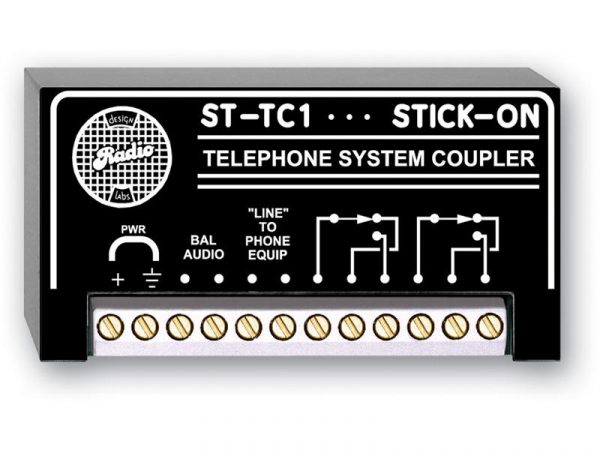
A coupler is a small accessory that joins two cables of the same type into one longer effective cable. The most common types are HDMI couplers (female-to-female), RJ45 couplers (in-line or wall-plate keystone style), RCA couplers, XLR couplers, BNC couplers, and so on. Couplers solve the problem of needing to extend an existing cable run when re-pulling cable is impractical, or when standard-length cables need to be combined to reach a custom distance.
Couplers are best used in temporary or recovery situations: an existing cable run is too short by a meter, a damaged section of cable needs to be cut out and rejoined, equipment is being relocated and a new path requires extending the existing cable instead of pulling fresh, or a rental installation needs to combine standard cable lengths for a one-off event. In each case, the coupler avoids the expense and labor of running new cable.
Couplers should be avoided in permanent installations where signal quality matters. Every coupler introduces a small signal degradation at the connection: an extra pair of male connectors in the middle of the run, plus the female-to-female barrel itself. For low-bandwidth and short-distance signals this is negligible. For high-bandwidth digital signals running near the cable's limit (4K HDMI at 50 feet, for example), the coupler can be the difference between a working signal and a failed one. In those cases, a single longer cable or an active extender pair is the right answer.
Couplers vary widely in quality. Cheap HDMI couplers in particular are often a source of intermittent problems: poor connector machining means the cable connectors do not fully seat, dust and corrosion build up between contacts, and signal integrity degrades over time. For commercial AV, buy couplers from reputable manufacturers and treat them as semi-permanent fixtures: secure them so they do not dangle and stress the connectors, and inspect them periodically.
HDMI couplers (female-female) join two HDMI cables; some include amplification circuitry to compensate for the additional cable length and connection. RJ45 couplers come as in-line barrels for joining patch cords, or as keystone jacks for terminating cable at wall plates. RCA, BNC, F, and XLR couplers serve their respective signal types. Speaker cable does not normally use couplers because the connection is made at binding posts or terminals, not in-line.
A specific and useful coupler form is the wall-plate or keystone insert. These are designed to mount in a standard wall-plate opening, with the cable terminated to one side and a connector exposed on the other. Wall-plate keystone HDMI, RJ45, USB, VGA, and audio connectors are the cleanest way to bring cable runs to a user-accessible location, much better than dangling cable ends or stress-prone barrel couplers in exposed locations.
Couplers appear in field service and repair (joining a fresh end onto a damaged cable), rental and staging (combining standard cable lengths to fit each venue), conference rooms (wall-plate couplers for clean cable termination at a presenter's table), AV equipment racks (combining patch cables to reach a switch port), classrooms and training rooms (extending a teacher's cable to reach across a room), and any installation where existing cable infrastructure needs to be extended without pulling new cable.
Use a coupler when pulling new cable is impractical (the cable is already in a wall or conduit and re-pulling is expensive), when extending a cable temporarily for an event or test, when repairing a damaged section without replacing the entire cable, or when combining standard pre-made cable lengths to reach an exact custom distance. Pull new cable when the installation is permanent and signal quality matters (especially for high-bandwidth digital signals near the cable's limit), when the coupled cable would dangle in an unsafe or unsightly way, or when the savings of buying one long cable outweighs the cost of two shorter cables plus a coupler.
Yes, slightly. Every coupler introduces an additional pair of connector mates in the middle of the run. For low-bandwidth analog signals (audio, low-resolution video), this is essentially undetectable. For low-bandwidth digital signals (1080p HDMI, gigabit Ethernet), it is still negligible at short distances. For high-bandwidth digital signals near the cable's limit (4K HDMI at 50 feet, 10 GbE at full distance), a coupler can be the difference between a working signal and a failed one. The general guideline: minimize couplers in long-run high-bandwidth applications.
Marginal. Cheap HDMI couplers are a common source of intermittent problems in commercial AV: dust gets between contacts, connectors do not fully seat, vibration loosens the connection over time, and signal margin is reduced. For permanent installs, prefer a single longer HDMI cable, an HDMI active optical cable (AOC) for very long runs, or an HDMI extender pair using HDBaseT, AV-over-IP, or fiber. If you must use an HDMI coupler in a permanent install, choose a high-quality unit from a reputable manufacturer, secure it so it does not dangle and stress the connectors, and inspect it periodically.
An in-line coupler is a small barrel with a female connector on each end, used to join two cables in the middle of a run. A wall-plate (keystone) coupler is designed to mount in a standard wall-plate opening, providing a clean cable termination at a user-accessible location: one side of the keystone accepts the cable from inside the wall, the other side exposes a connector (HDMI, RJ45, USB, VGA, audio) for users to plug into. Wall-plate couplers are the cleanest way to bring cable runs to a presenter's table, classroom wall, or equipment-rack location.
Not reliably. Passive HDMI couplers typically work fine for combining two 25-foot HDMI cables (50 feet total) at 1080p, but become unreliable at 4K. Combining two 50-foot HDMI cables into 100 feet at 4K is well outside the practical limit of passive copper HDMI, and a coupler does not help. For runs that long, use an HDMI active optical cable (AOC, fiber-based, works to 100 meters or more), an active copper HDMI cable with built-in signal regeneration, or an HDMI extender pair over CAT cable (HDBaseT) or AV-over-IP.
Field service and repair (joining a fresh terminated end onto a damaged cable instead of pulling new cable), rental and staging (combining standard pre-made cable lengths to fit each venue), conference rooms and classrooms (wall-plate keystone couplers for clean cable termination at presenter or instructor positions), AV equipment racks (combining patch cables to reach switch ports or device inputs), broadcast and live sound on the fly (extending an existing cable temporarily during setup), and any installation where existing infrastructure needs to be extended without the time and expense of pulling new cable.

On order over $300 and more for US and US territory

We Offer a 30-Day Money Back Guarantee

Full manufacturer's warranty and quality assurance

Safe checkout with trusted payment providers