











Start typing to see results...
Find the perfect solution
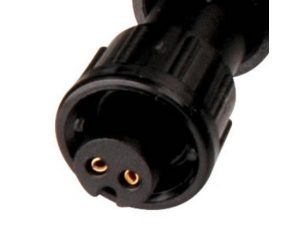
This subcategory of Adapters groups the specific connector adapters used to convert between AV signal types and connector formats. These are the small accessories that an integrator pulls from a parts bin to make one device work with another: HDMI to DVI, DisplayPort to HDMI, USB-C to HDMI, VGA to HDMI, 3.5 mm to RCA, and many more.
The most common adapter requests in commercial AV are: USB-C to HDMI (modern laptops, tablets, and phones to standard displays); DisplayPort to HDMI (PCs and workstations to displays that use HDMI); HDMI to DisplayPort (the less common reverse); HDMI to DVI (newer source to older DVI display); HDMI to VGA (newer source to legacy projector); VGA to HDMI (older PC to modern display); Mini DisplayPort to HDMI (older Mac laptops); USB-C to VGA or USB-C to DVI (specialty conversions for mixed-generation rooms); and 3.5 mm audio to RCA (computer audio to amplifier or speaker).
Some adapter functions are passive: they just rewire connector pins, with no active electronics. HDMI to DVI for example is passive because both interfaces use the same TMDS digital signaling. Other adapters must be active because the signal formats are electrically different: HDMI to VGA must convert digital video to analog, so it contains a digital-to-analog converter chip, draws power from the source connector, and may have a separate audio output because VGA carries no audio. Always verify whether your specific conversion requires an active adapter, and confirm it can pass the resolutions and refresh rates your install needs.
A cheap adapter that physically connects two ports may not pass the resolution you need. Always check the adapter's specifications: maximum resolution (1080p, 4K at 30 Hz, 4K at 60 Hz, 4K at 60 Hz with HDR), HDCP version support (HDCP 1.4 for 1080p protected content, HDCP 2.2 or 2.3 for 4K HDR), and audio support if applicable. For modern installations, look for adapters rated for 4K at 60 Hz with HDR and HDCP 2.2 minimum.
HDMI and DisplayPort carry audio together with video. DVI and VGA do not. When you adapt from HDMI to DVI or VGA, the audio must take a separate path: most active HDMI-to-VGA adapters include a 3.5 mm or RCA audio output that breaks out the audio from the HDMI input. When adapting from VGA or DVI to HDMI, the audio must be provided externally as a separate input on the adapter, which then embeds it into the HDMI output.
Connector adapters are pulled out daily in conference rooms (every laptop has a different output, every display has an HDMI input), in field installations and rental/staging (event production gear varies widely in connector types), in broadcast and live sound (mics, cameras, and recorders use mixed connectors), and in any AV environment where varied source equipment must connect to varied display and audio destinations.
Identify the laptop's output connector (HDMI, USB-C, DisplayPort, Mini DisplayPort, Thunderbolt, USB-A) and the display's input connector (HDMI, DisplayPort, DVI, VGA). Then look for an adapter that converts between the two while supporting the resolution you need. For 4K at 60 Hz, the laptop's port must support that bandwidth (USB-C with DisplayPort Alternate Mode, or DisplayPort 1.2 minimum), and the adapter must be rated for it. Check user reviews specific to your laptop model, because some laptops have quirks with certain adapter brands.
Passive adapters work perfectly for signal formats that are electrically compatible (HDMI to DVI is passive because both use TMDS digital signaling, and it works fine within the rated resolution). Passive adapters fail or do not exist for incompatible signal formats: HDMI to VGA must be active because it converts digital to analog. Active adapters need power, usually drawn from the source connector. For the conversions where both passive and active versions exist (DisplayPort to HDMI, for example), the passive version works fine for most resolutions, but specific high-bandwidth or HDR setups may require the active version.
Only if the adapter explicitly states HDR support. HDR adds bandwidth requirements beyond standard 4K at 60 Hz, so the adapter and cables must be rated for the full 18 Gbps bandwidth of HDMI 2.0 or higher. Cheap "4K" adapters often pass 4K at 30 Hz only, or 4K at 60 Hz without HDR. For HDR installations, look for adapters rated specifically for 4K at 60 Hz with HDR (sometimes labeled "4K@60 4:4:4" or "18 Gbps") and verify with a test using your actual HDR source and display.
Most modern adapters pass HDCP, but always verify the supported version against the content you need to display. HDCP 1.4 is enough for 1080p protected content from Blu-ray, streaming services, and most corporate sources. HDCP 2.2 or 2.3 is required for 4K HDR protected content. If the adapter does not support the right HDCP version, the display shows a black screen or "non-compliant" error when you try to play protected content. Look for adapters labeled with explicit HDCP support; cheaper adapters often skip this and fail with protected sources.
Adapter problems usually fall into a few categories. First, the resolution may exceed what the adapter is rated for: try a lower resolution to see if the picture stabilizes. Second, EDID handshake issues: try unplugging and reconnecting in the order source-adapter-display. Third, HDCP mismatch with protected content: try a non-protected source to isolate. Fourth, the adapter itself may be defective or marginal quality: try a different adapter from a different brand. Fifth, the source or display may have an unusual quirk: check the manufacturer's support pages for known adapter compatibility issues.
Conference rooms (every laptop has a different output connector, every display has HDMI input, so adapters bridge the gap; ideally each room is stocked with USB-C, DisplayPort, mini-DisplayPort, and VGA adapters), field installations and rental/staging (event production gear varies widely and adapters keep everything compatible), broadcast and live sound (microphones, cameras, mixers, and recorders use mixed connectors), education (classrooms with mix of newer and older equipment), and any installation where varied source equipment must connect to varied display and audio destinations.

On order over $300 and more for US and US territory

We Offer a 30-Day Money Back Guarantee

Full manufacturer's warranty and quality assurance

Safe checkout with trusted payment providers